Inclusive navigation isn’t a feature. It’s a foundation.
In busy places like airports, indoor navigation has to do more than show directions. It needs to reduce stress, build confidence, and help people move on their own, no matter their ability, device, or situation.
For example, consider a traveler with low vision who lands at a connecting airport with just 40 minutes to reach the next gate. They open the terminal map, turn on VoiceOver, and hear clear directions: past security, left at the food court, elevator to Level 2, Gate B14. No guessing. No asking strangers for directions. Just clear guidance through an unfamiliar space.
Now consider a different traveler in the same terminal. A parent pushing a stroller taps an accessibility toggle and gets an escalator‑free route. That same route also works for a wheelchair user or someone pulling heavy luggage.
Different travelers. Different needs. One experience designed to work well for all of them.
That’s not accommodation. That’s better design.
At Atrius, accessibility is built into the design and delivery of Atrius Wayfinder. Guided by spatial intelligence, real‑time information, and human‑centered design, Atrius Wayfinder creates navigation experiences that are not just compliant—but genuinely easy to use.
A Major Milestone: WCAG 2.2 AA Alignment
Today, Atrius Wayfinder meets WCAG 2.2 AA standards across web and mobile experiences, including native iOS and Android apps. As a result, travelers get a consistent, accessible experience whether they’re using a browser, a phone, or a native app.
Across all major channels, these improvements support visual, voiceover, and keyboard access. More importantly, they make Atrius Wayfinder easier to use for everyone.
Rather than treating accessibility as a checklist, we approach it as a product investment. In fact, each accessibility improvement makes the core product better, clearer to use, easier to follow, and more reliable in real use.
At the same time, this milestone aligns Atrius Wayfinder with the ADA Title II web accessibility rule, helping organizations meet expectations for accessible digital services.
Designed for How People Actually Find Their Way
Airports are complex and constantly changing. People use maps in different ways, often while short on time. Atrius Wayfinder supports this by offering flexible, accessible ways to navigate, while still letting travelers stay in control.
Key accessibility-driven features include:
- Keyboard-first navigation and multi-point routing, enabling travelers to plan and follow complex journeys, such as navigation security, transfers, and amenities, without relying on touch or precise pointer control.
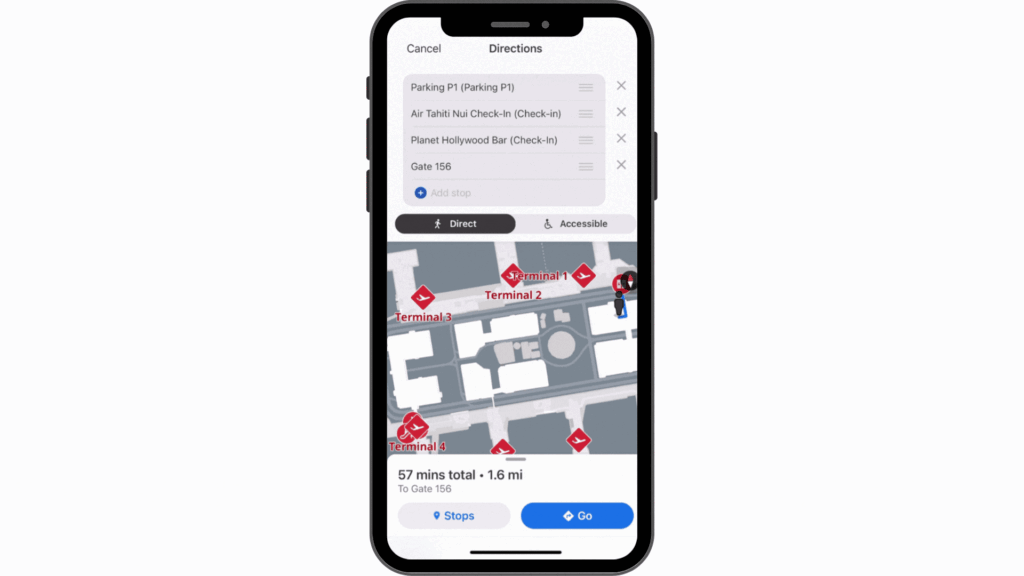
- Screen-reader-friendly directions, with logical, step-by-step route instructions that are easy to follow and announced clearly. Directions are read aloud step by step, helping travelers follow their route clearly and confidently without relying on the screen.
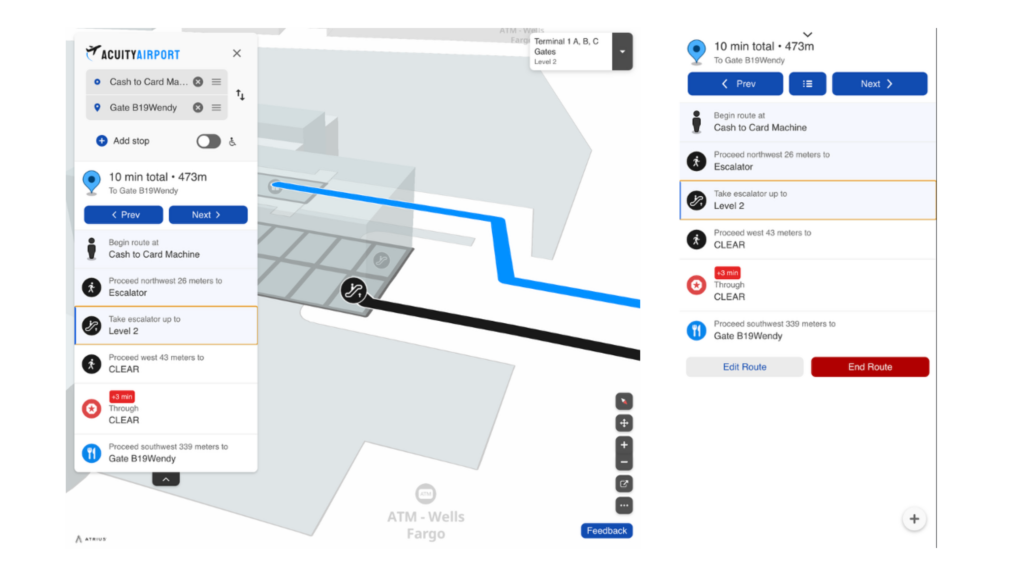
- Customizable, accessibility‑aware routing options, including an accessibility toggle lets travelers choose routes that fit their needs, like step‑free paths, so getting around the terminal feels easier and more comfortable.
Together, these features support confident, independent navigation for a wide range of needs and enable a consistent experience for everyone.
Staying Oriented at Any Zoom Level
Not everyone views maps the same way. Some travelers rely on zoom or simplified views to read and understand a map. Atrius Wayfinder’s quick ‘speed dial’ shortcuts menu keeps key navigation controls visible even at high zoom levels or on small screens. This means less panning, fewer mistakes, and better orientation while moving through busy terminals. For travelers who rely on zoom, key navigation actions stay visible and easy to reach.
Clear, Accessible Service Discovery
Accessibility also depends on how easy it is to find information.
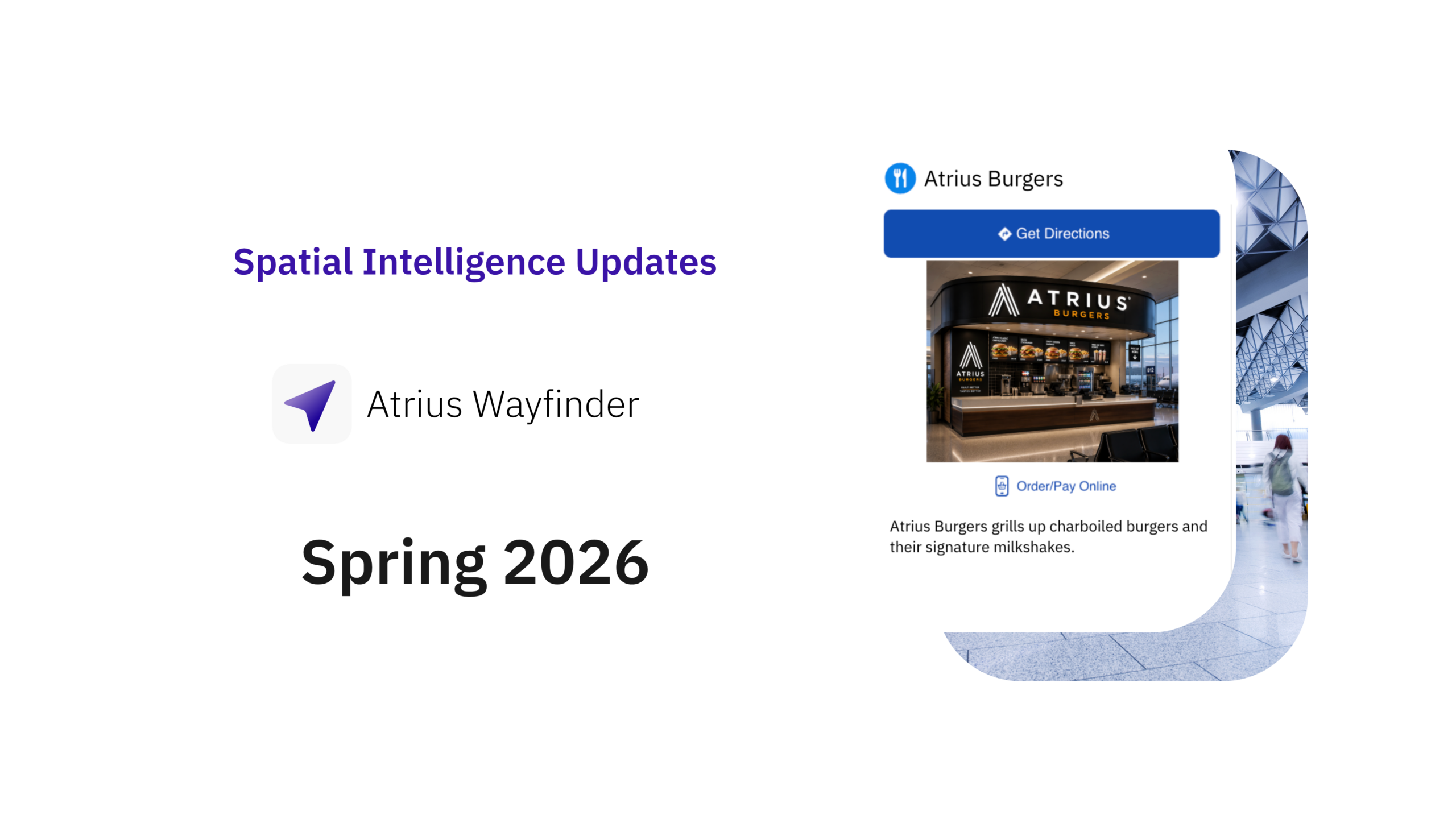
Atrius Wayfinder makes Points of Interest (POI) like food, restrooms, and other amenities, easy to spot and understand. Clear labels and consistent details help travelers quickly find what they need and take action without confusion.
For airports and venue operators, this approach provides flexibility in how services are represented across terminals, helping ensure inclusive journeys without increasing operational complexity.
Accessible Navigation with Real-Time Awareness
Inclusive navigation becomes especially critical in time-sensitive situations, such as security screenings, boarding, or navigation terminal construction or delays. Atrius Wayfinder connects accessible interactions with real-time operational context, including:
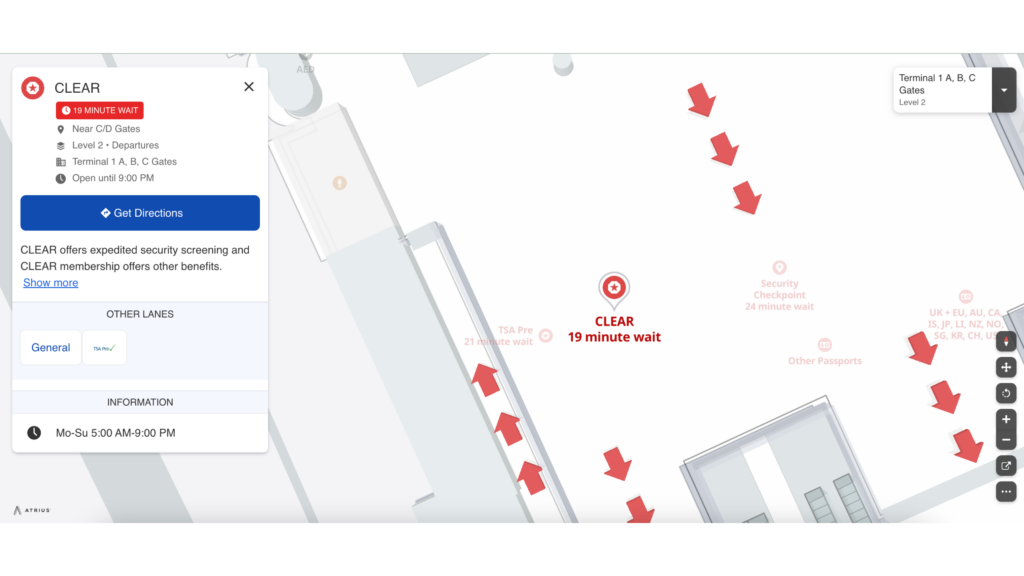
- Live security wait times, helping travelers make informed routing decisions.
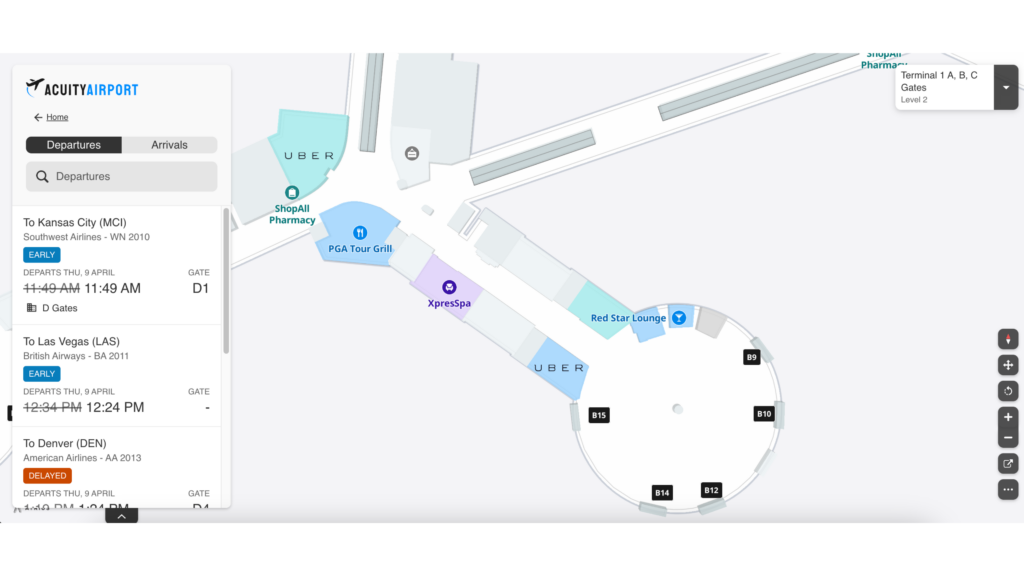
- Real-time arrival and departure status, visible directly within the map experience.
- Dynamic routing, which continuously adapts recommended routes based on live conditions and available information, helping travelers stay on the most relevant, accessible route as circumstances change.
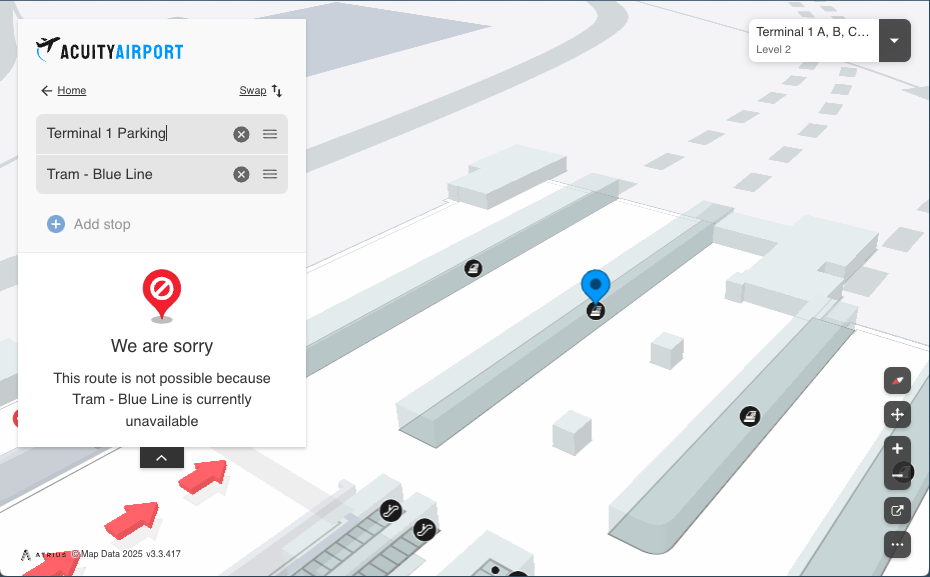
By bringing real-time data into an accessible map experience, Atruis Wayfnder helps travelers stay informed and move with confidence.
Built on a Strong Foundation
Behind the scenes, Atrius continues to improve the systems that keep navigation accurate and reliable. Updates to data quality and map information ensure that accessible routes and details remain accurate as environments change.
This work may not always be visible, but it’s essential to delivering navigation people can trust.
Accessibility as an Ongoing Commitment
Accessibility is not a one-time release—it’s a practice.
As Atrius Wayfinder evolves, inclusive design stays central, not because regulations require it, but because it produces better products. The best wayfinding experiences aren’t just intelligent. They work for every person. Discover how Atrius Wayfinder’s accessibility first design supports confident, independent navigation across devices, interaction modes, and real‑time moments that matter. Want to learn more or see these capabilities in action? Explore our latest updates in the Atrius changelog or connect with our team to start a conversation.